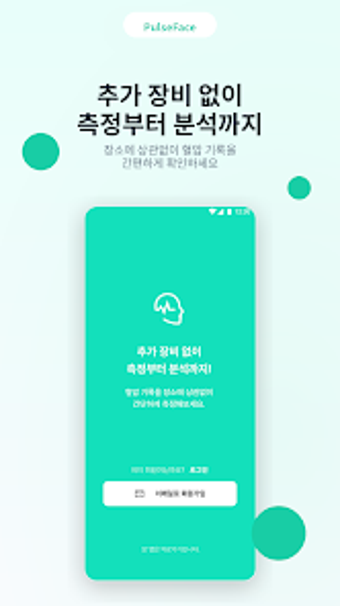
pulseface turns your Android camera into a BP monitoring tool
pulseface, by deepmedi, turns an Android phone into a non-contact blood pressure monitor for everyday checks. The app uses the camera and AI facial analysis to estimate systolic and diastolic values after a one-time cuff calibration. It provides real-time readings, historical trend storage, and secure registration to protect personal data. Suited for users who monitor blood pressure regularly and want a portable, camera-based alternative to daily cuff measurements. Designed for health-conscious adults and caregivers seeking frequent checks without the bulk of a cuff.
Meets regulated medical standards for at-home checks
The app is recognized as a Class 2 Digital Medical Device (MFDS), and the developer builds AI-based healthcare tools for smartphones. That certification indicates the software underwent regulatory review rather than purely consumer testing. For routine use, the regulatory status positions readings as coming from software designed for medical contexts; users should view measurements as part of ongoing monitoring aligned with clinical oversight.
Requires a camera-equipped Android phone and explicit permissions
Available for Android devices, the tool needs a functioning camera and specific system permissions to perform facial image analysis. Setting it up includes granting camera access and any image-processing permissions the device requests. That dependence means devices lacking a working front-facing camera or those with restrictive permission policies cannot run core measurement functions, so hardware and OS settings matter in daily use.
Stores personal readings under account access and data controls
Measurements and trend records are saved under user-managed accounts to protect individual health information. Account-based controls provide a way to separate multiple users on the same device and to preserve long-term traces of measurements. Users should review the app's privacy settings and understand that stored readings are meant for monitoring rather than substituting professional medical records.
Helps with regular checks but not a standalone diagnostic source
The tool is aimed at people who need frequent blood pressure monitoring and prefer a less intrusive option than repeated cuff use. It supports quick checks integrated into daily routines and keeps a chronological record for personal review. Official guidance included with the software cautions that concerning values require confirmation with a clinician, so the application acts as an aid, not a replacement for clinical evaluation.
To sum up, the app suits routine monitors who want convenient, camera-based checks
To sum up, the app is a practical option for users comfortable with smartphone health tools who want frequent, non-invasive blood pressure checks integrated into daily life. It is less suitable for anyone who needs definitive diagnostic certainty. A practical pro tip: combine app readings with periodic clinic measurements to keep long-term trends clinically meaningful; use the app as a monitoring aid, not the only source for decisions.